
Contractors Websites for contractors and construction companies
Show the work, make it easy to request a bid, and rank for the jobs you want more of. We moved Corridor Contractors in Airway Heights off Wix onto a site built around its DOT and municipal projects.
Where contractor sites fall short
Your best work is buried, and bid requests go nowhere
Most contractor sites we see were built once on a template and left alone. The project photos are in a slideshow nobody clicks, every service is crammed onto one page, and the contact form lands in an inbox that isn’t checked on a job site.
Buyers, especially public agencies and general contractors, look for the same things: the kind of work you do, proof you’ve done it, your credentials, and a straightforward way to ask for a bid. A site that makes those easy to find wins the call.
Our contractor work
Corridor Contractors, Airway Heights
Corridor Contractors
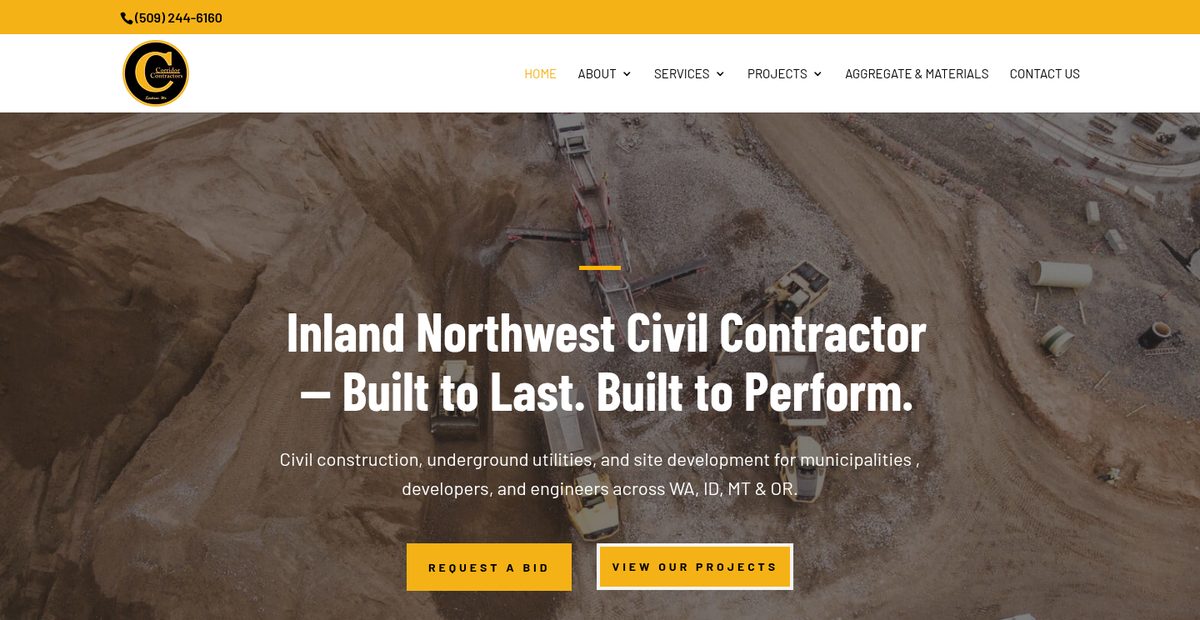
Moved off Wix onto a site built around its DOT and municipal work. It now ranks for a long list of searches in its industry.
Before and after
What changed on Corridor Contractors’ homepage
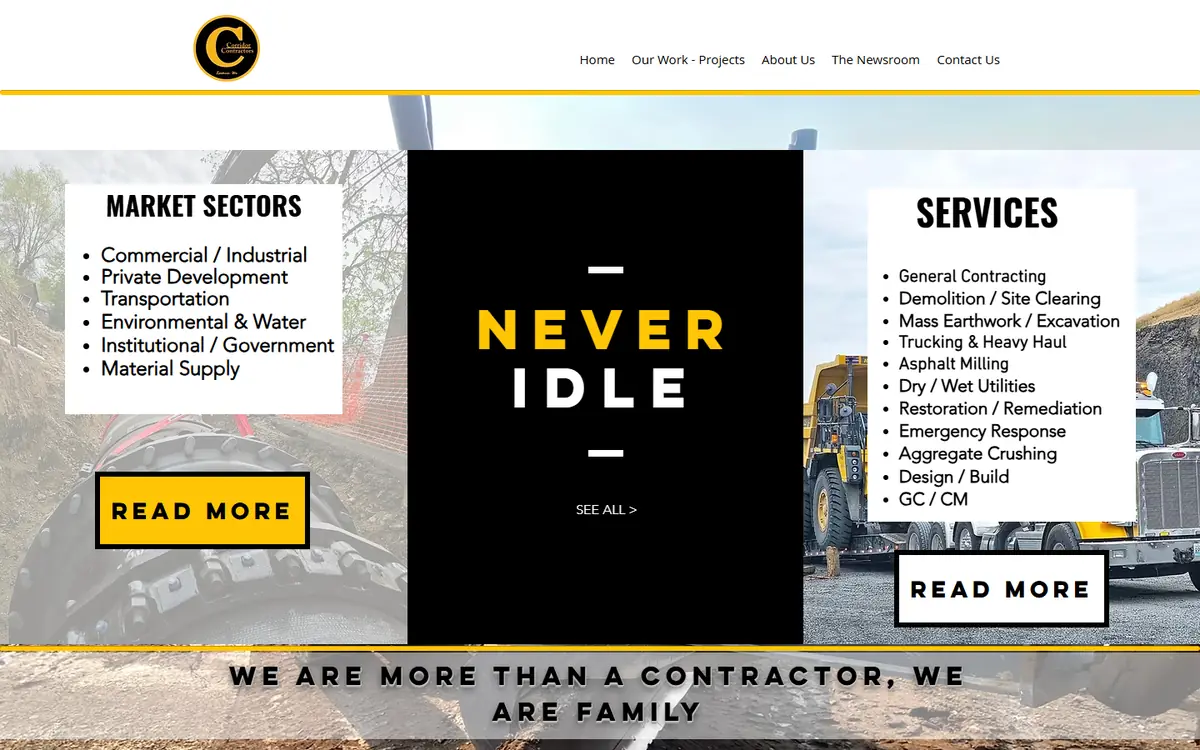
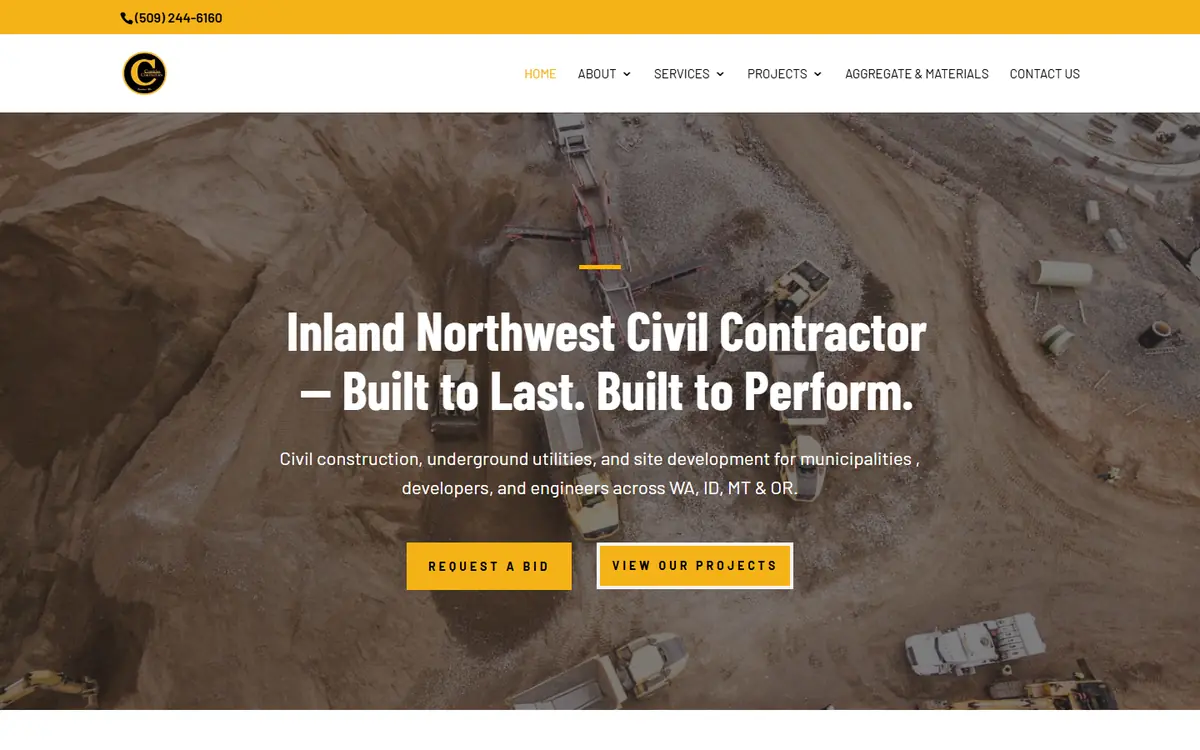
Corridor builds roads, utilities and sites for DOTs and cities in four states. Their old Wix homepage didn’t say so. Drag the slider to compare the top of each page, then go through the numbered notes on the full page.
-
(509) 244-6160 sits in the bar above the menu on every page.
Before: no phone number anywhere on the homepage.
-
About, Services, Projects and Aggregate & Materials each open to their own pages: company story, leadership, safety and compliance, careers, nine service pages and the project types.
Before: Home, Our Work, About Us, The Newsroom, Contact Us.
-
“Inland Northwest Civil Contractor,” then one line naming the work (civil construction, underground utilities, site development), who it’s for (municipalities, developers, engineers) and where (WA, ID, MT and OR).
Before: “Never Idle” in a black box, and nothing saying what the company does or where.
-
The main button goes straight to a bid request page. It shows up again after the “why us” section and once more above the footer.
Before: two “Read More” buttons and a “See All” link.
-
WSDOT, the Montana and Idaho transportation departments, and the cities of Spokane, Spokane Valley, Post Falls and Cheney, right under the headline. Public buyers look for work done for agencies like theirs.
Before: no clients named on the page.
-
Six photos from Corridor job sites, from underground utilities to asphalt milling, under “Civil Construction Across Every Major Sector.”
Before: two photos, both mostly covered by text boxes.
-
“Not the Lowest Bid. The Best Outcome.” Four reasons beside it (field crews, machine control, complex projects, long-term partnerships), and a paragraph naming DOTs in four states and the City of Spokane as clients.
Before: “We are more than a contractor, we are family.”
-
Each service gets a short description here and a page of its own, so each one can show up in search for the people hiring that kind of work.
Before: eleven services in a plain list with no links.
-
Their GPS machine control gets a full-width section: tighter tolerances, less rework and shorter schedules on complex sites.
Before: not mentioned on the homepage.
-
Six more project photos, heavy haul, mass excavation and site work, with a link to the full project pages.
Before: projects were only in the menu.
-
The Airway Heights address, phone and email, links to every service and to the materials they sell (topsoil, drain rock, asphalt millings, Avista spec sand, quarry spalls), the WA license number and a current copyright year.
Before: “© 2017 by Corridor Contractors” and three social icons.
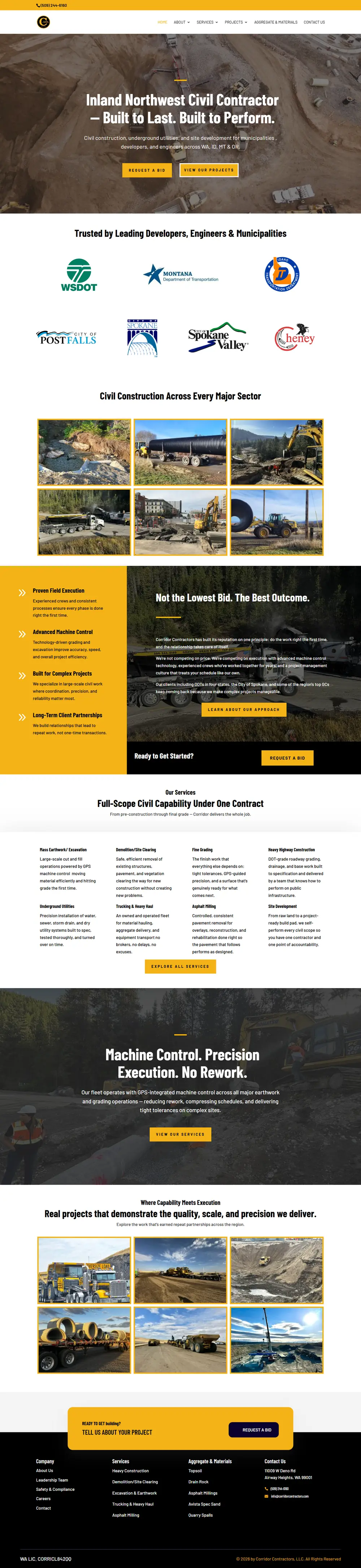
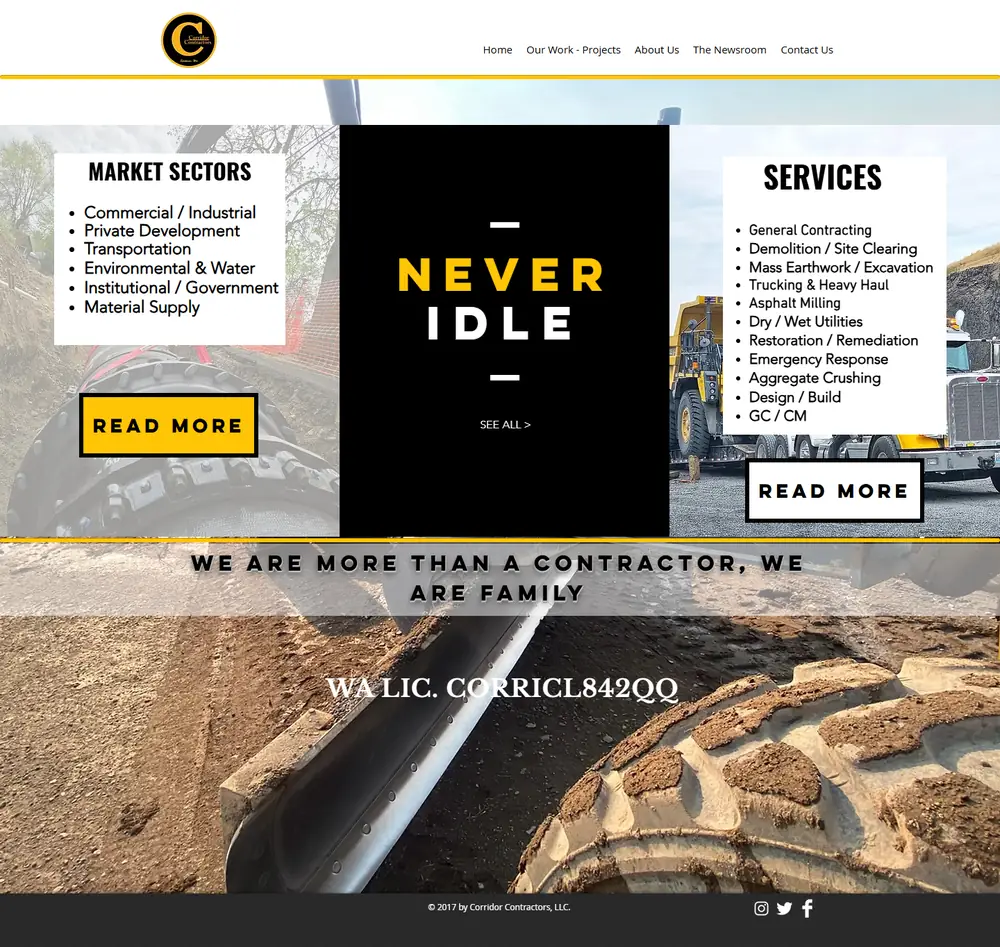
Old homepage: Wayback Machine capture, February 2026. New homepage: October 2026. Both at desktop width.
Some changes don’t show in a screenshot. The site moved off Wix onto WordPress, the homepage title now leads with “Civil Contractor Spokane WA,” most photos have file names that describe the work, and the site ranks for a long list of searches in its industry.
What we build
Built for contractors
Project galleries
Real projects with location, scope and photos, so buyers can see you’ve done their kind of job.
A page per service
Excavation, paving, utilities, concrete: each gets its own page, so you can rank for each.
Bid and quote requests
A short form that reaches the right person, with the details you need to price the job.
Public-sector credentials
DOT and municipal work, certifications and safety record where agencies look for them.
Hiring page
Open positions and an easy way to apply, because crews find you online too.
Off Wix or Squarespace
We move your site and its search history onto WordPress, with every old URL redirected.
Questions
Contractor website questions
Can you move my site off Wix or Squarespace without losing rankings?
Yes. We map every old page to its new address and set up redirects, so the search history carries over.
Should government and commercial work be on our website?
Yes, if you want more of it. Agencies and general contractors check your site before they call, so put the project types, certifications and past public work where they can find them.
Do I need a page for each service?
If you want to rank for each one, yes. A single “Services” page rarely ranks for anything specific.
What does it cost?
Our managed plans start at $297 a month. Larger sites with several locations or crews fit our Enterprise plan. Try the website cost calculator.
Guides
Guides for contractors
- Engaging With Customers Using Social Media Marketing For PlumbersFive ways plumbers can use social media to win customers: a strong presence, useful posts, answering questions and reviews, referrals and feedback.
- Why Website Speed Optimization Matters For LocksmithsWhy page speed matters for locksmiths, whose customers often need help right away: a better experience, higher rankings, more calls and mobile performance.
- Simple Steps To Improve Your Plumbing Website’s Ranking And VisibilitySimple steps to help a plumbing website rank: SEO basics for plumbers, site structure, on-page and off-page SEO, a content plan and tracking what works.
- Crafting A Professional Image – A How-To Guide For Electrician WebsitesHow to create a polished and professional image for your electrician website with our comprehensive guide. From design tips to content suggestions, read now
- 10 Essential SEO Tips For Plumbers To Dominate Search Engine RankingsTen SEO tips for plumbing companies: a fast, mobile-friendly site, keyword research, quality content, on-page SEO, links and managing your online reviews.
- How To Create A Blog On Your Plumbing Website For Organic TrafficHow to start and run a blog on your plumbing website that earns organic search traffic and turns readers into booked service calls.
Want your website to win more bids?
Book a free call. We’ll look at your site and tell you what buyers can’t find on it today.