
System integrations System integrations for North Idaho and Spokane businesses
System integrations connect your website, forms, CRM and follow-up so leads don’t fall through the cracks, and your team stops retyping the same information into three places. We build them for North Idaho and Spokane businesses alongside the websites themselves. The common ones come with our website plans, and bigger projects are priced after we see what needs connecting.
Why it matters
Where do most leads get lost?
After the website, not on it. A form email sits unread in someone’s inbox. An order gets copied by hand into a spreadsheet. The store says an item is in stock when the shelf is empty. A quote goes out and nobody follows up because nobody remembered to.
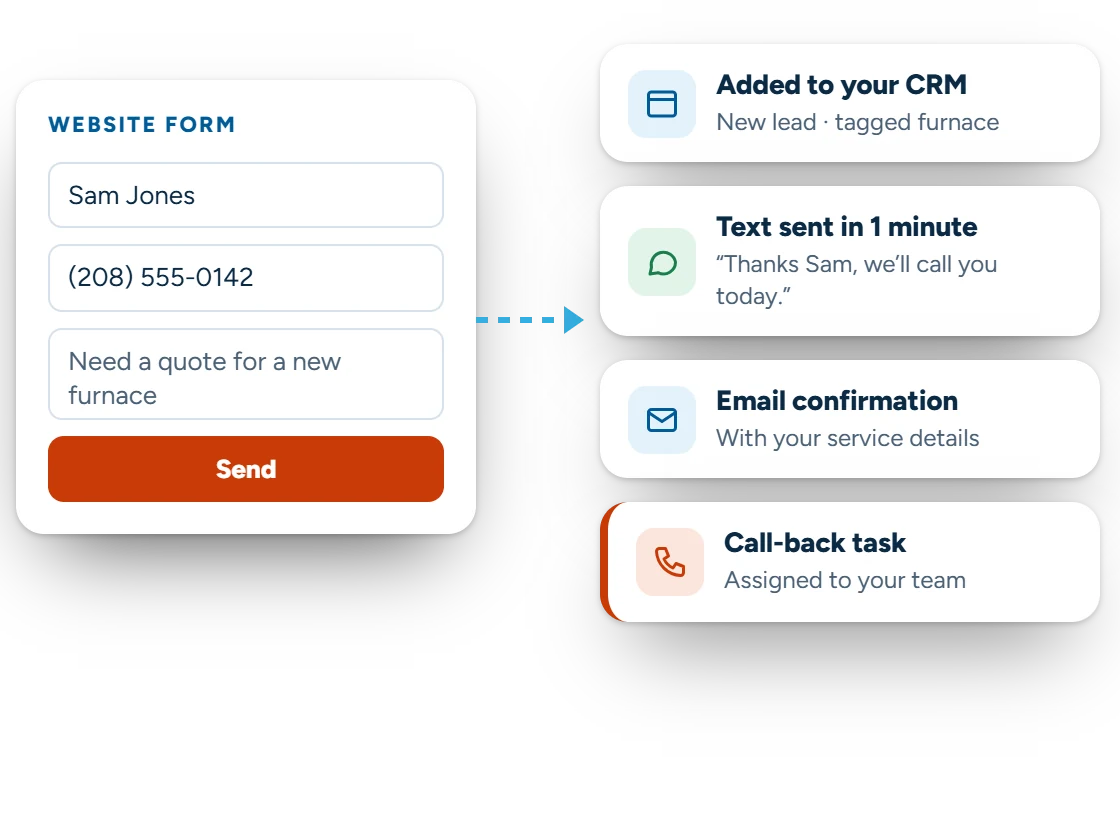
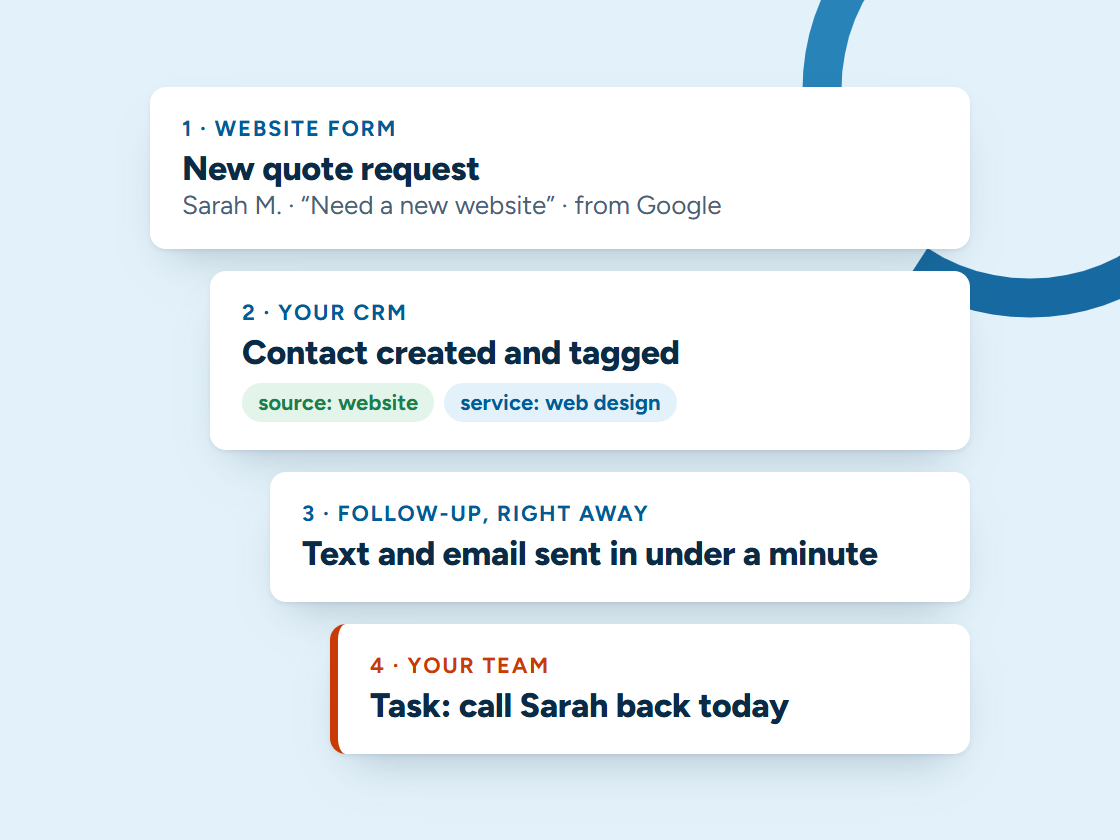
System integration means your tools pass information to each other on their own. A lead from your website lands in your CRM with where it came from, a reply goes out while they’re still interested, and the right person gets a task. That’s the difference between a website that collects names and one that brings in work.
We’ve been building this for North Idaho and Spokane businesses alongside the websites themselves, so the site and the systems underneath it are planned together.
What we connect
What can you connect for my business?
Website forms to your CRM, automatic follow-up, online booking, stores to inventory and fulfillment, product data for large catalogs, and email that reaches the inbox.
Website forms to your CRM
Every form submission becomes a contact with its source, service and next step, instead of an email someone has to forward.
Follow-up that happens on its own
A text and email go out when a lead comes in, reminders go out before appointments, and a task appears if nobody replies.
Online booking and calendars
Customers book a time that’s actually open, and it lands on the right calendar with the details you need.
Stores to inventory and fulfillment
Orders flow to fulfillment and stock levels stay in step, so you don’t sell what you don’t have.
Product information for large catalogs
Clean, consistent product data for stores with thousands of items, fed to the store and to Google.
Email that actually gets delivered
SPF, DKIM and DMARC set up correctly, so your quotes and follow-ups land in the inbox instead of spam.
In their words
Systems connected to streamline the work
“They are so knowledgeable with Shopify. They are very professional and launched our website on time and within budget. We also had them integrate our business systems to streamline our ecommerce workflow. I’m glad we found them and yes, I would recommend them if you need an online store.”
How it works
How an integration project works
Step 1
Map what you use today
Your website, CRM, store, calendar and the spreadsheets holding it together.
Step 2
Plan the connections
What should happen automatically, in what order, and who gets notified.
Step 3
Build and test with real data
Every path tested end to end before anything goes live.
Step 4
Support it
We stay on call after launch, because tools change and connections need care.

Cost and timing
How much do system integrations cost, and how long do they take?
The common ones come with our managed plans, and bigger projects get a price and a timeline after we map what you use today:
- Business ($497 a month + $997 setup): calls, texts and website forms in one inbox, so no lead slips through.
- Enterprise (priced after a call): custom integrations, several systems and large catalogs. See custom development.
How long: a form-to-CRM connection is part of the website build. Bigger projects get a timeline after we map what you use today.
What isn’t included: the subscriptions for the tools themselves, like your CRM or texting service, and carrier registration fees for business texting.
Questions
Integration questions
Which CRMs do you work with?
We’ve worked with HubSpot, and we connect to most business tools that offer an API. Tell us what you use and we’ll tell you what’s possible.
Do I need to replace my current software?
Usually not. Most of the time we connect what you already have. If a tool is genuinely holding you back, we’ll say so and explain the trade-off.
Can you set up automatic follow-up texts?
Yes. Business texting in the US requires carrier registration (A2P 10DLC) before messages are reliably delivered, and we walk you through it.
Can you connect my online store to my inventory?
Yes. We connect stores to inventory, fulfillment and product information systems so orders and stock stay in step.
Why are my emails going to spam?
Often it’s missing email authentication. We set up SPF, DKIM and DMARC records for your domain so inbox providers trust your mail.
How much do system integrations cost?
Our Business plan ($497 a month plus a $997 setup fee) puts your calls, texts and website forms in one inbox. Connecting a CRM or other tools you already use is quoted after we look at your setup, and custom integrations are priced as Enterprise work after a conversation.
How long does an integration take?
Connecting your website forms to your CRM is part of the website build. Larger projects get a timeline after we map your tools and decide what should happen automatically.
Guides
Integration and automation guides
- Squarespace vs. WordPress vs. Wix for a Small Business WebsiteSquarespace, WordPress or Wix? An honest comparison for small business websites: cost, upkeep, SEO, selling online and what happens when you outgrow one.
- Church and Nonprofit Websites: What Matters MostWhat a church or nonprofit website needs for first-time visitors, members and donors, and how to keep it current when volunteers change every year.
- How Much Does a Website Cost in North Idaho? (2026)What a small business website costs in Coeur d’Alene, Spokane and North Idaho in 2026, what changes the price, and what you should get for it.
- 10 SEO-Friendly Web Design Tips Every Local Business NeedsTen practical, SEO-friendly web design tips for local businesses, covering site speed, mobile layout, headings and structure you can act on today.
Where are leads slipping through?
Walk us through what happens after someone fills out your form. We’ll show you where it breaks and what it would take to fix.