
Where leads slip away
Where tree jobs slip away
Work out what missed calls cost you, with your own numbers.
Storm days
After a windstorm or a heavy, wet snow, a week of calls lands in one morning. Every crew is already out, and every caller who hits voicemail tries the next name on the map.
Calls from up in the tree
You’re roped in or up in the bucket with a saw running. The ground crew can’t hear the phone over the chipper, and the homeowner with a limb on the roof won’t wait for a callback.
Estimates that cost a drive
Every tree needs a look before you can price it. Without photos and an address up front, you drive across the county to quote a job you could have sized up from a picture, or one outside your area.
Hazard trees and worried owners
A pine leaning toward the bedroom, a cracked limb over the driveway, a note from the insurance company about the tree by the roof. Those owners want someone who explains the risk plainly and comes out soon.
Fire-season work booked too late
Owners on wooded lots think about thinning and clearing around the house when the smoke rolls in. By then your summer is full. A reminder in spring books that work while you still have room.
Stumps left behind
The removal gets done and the stump stays. Without grinding on the estimate and a follow-up after, that job goes to someone else, or never happens.
Bidding against a guy with a chainsaw
Your insured, careful quote sits next to a cash price from someone with a pickup and a saw. If your site doesn’t show your insurance, your equipment and real removals near houses, yours just looks expensive.
Three estimates, then silence
Homeowners get a few quotes on a big removal and go quiet. The company that checks in, answers the question about cleanup and makes approving easy is the one they remember.
Reviews that don’t show the work
You leave yards cleaner than you found them, but your Google profile shows a few old reviews. The tree service with recent ones, and photos of big removals, gets the call.
Before they call
What homeowners check before choosing you
- Proof you’re insured, and an arborist certification if you have one.
- Photos of removals near houses and power lines, not just tidy yards.
- Whether you do emergency storm work, and how soon you can come.
- What the estimate covers: cleanup, hauling, stump grinding.
- Recent reviews that mention care around the house and yard.

How it works for tree services
One system, from the first search to the next visit
Follow one customer through it, step by step. The Growth System page explains each step in full.
Step 1 of 8 · Get found
Show up when a homeowner searches “tree removal near me”
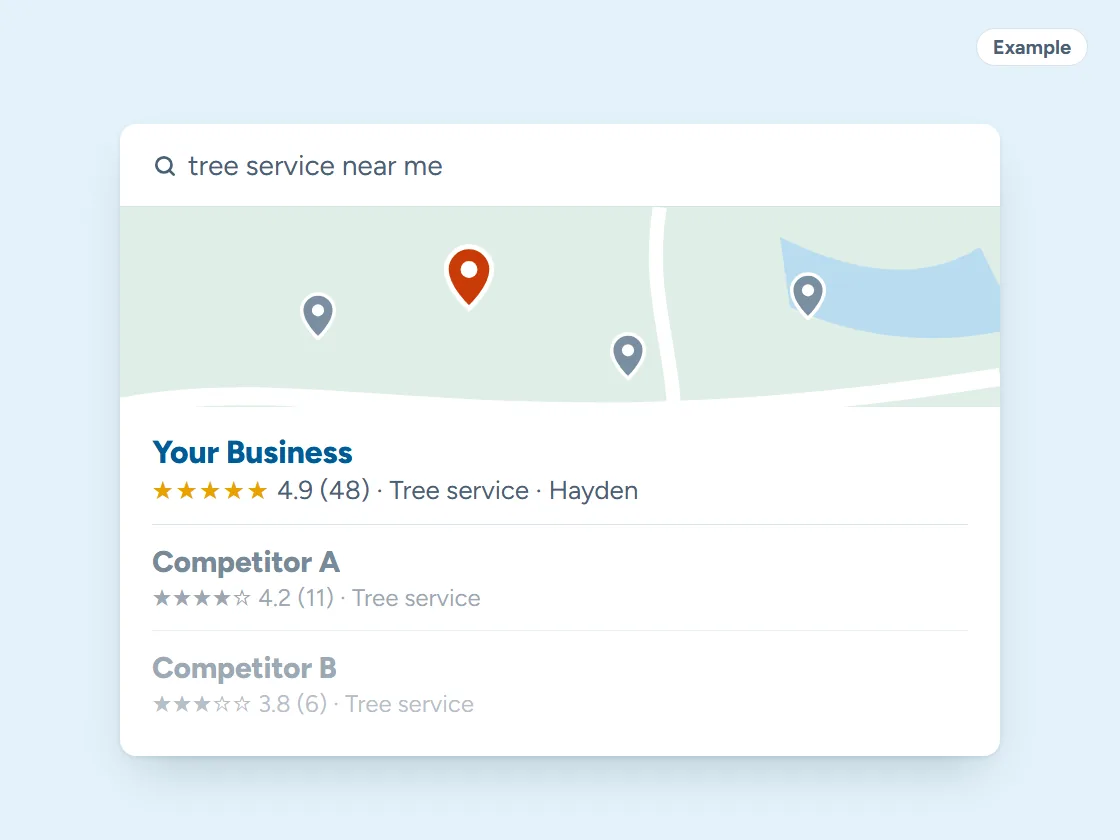
After a windstorm, people pick from the tree services Google shows on the map. A complete Google Business Profile, storm-work photos and a page for each service help you earn a place there. Pick your town and watch the example climb.
Your Business: not in the top 3 (position 9)
- Right main category
- Services listed
- Matching name and phone
- Steady new reviews
- Fast, clear website
- A page for your town
Illustration only. Real rankings depend on distance, relevance and prominence, and no one can promise a position.
Step 2 of 8 · Never miss a lead
Answer storm calls while you’re up a tree
Nobody answers the phone with a saw running. The assistant answers, asks what came down and where, books the estimate and sends you a summary. Missed calls get a text back in seconds.
Example answers. Yours is set up with your real services, hours and prices, and hands the conversation to you whenever it should.
Step 3 of 8 · One inbox
Photos of the tree, and every message, in one place
Homeowners text photos, message you on Facebook or ask through the website. It all lands in one inbox on your phone, so you can size up the job before you drive out.
Every channel, one inbox. Tap a conversation to answer it.
Example customers and messages. We connect your real channels and set up quick replies in your words.
Step 4 of 8 · Quote and book
Estimates they can approve from the driveway
Send the estimate by text with cleanup and stump grinding spelled out. They approve it and pay the deposit on their phone, and the job goes straight onto the crew calendar.
- Estimate texted
- Customer opened it
- Signed
- Deposit paid
- Job added to your calendar
- Receipt and reminder sent
Example estimate. We set up your estimates, e-signatures and payments so customers can say yes from their phone.
Step 5 of 8 · Track every job
Every estimate and job on one board
From storm call to estimate to cleanup, each job moves along a board, and the follow-ups go out for you: the nudge on an open estimate, the day-before reminder, the invoice.
Example jobs and amounts. Tap any card to move it along. We set up your stages and what happens at each one.
Step 6 of 8 · Reviews and referrals
A clean yard is the moment to ask for a review
When the crew pulls out and the yard looks better than before, the customer gets a text with a link straight to your Google review box, and neighbors can get a referral link.
Example customers and reviews. We set up the request text, the timing and your review link; the reviews are your customers’ own.
- Link shared
- Friend booked
- Job done
- Rewards sent to both
11 jobs from referrals
Example customers. You choose the reward; links are tracked automatically and rewards go out when the friend’s job is done.
Step 7 of 8 · Bring them back
Pruning reminders in the quiet months
Trees need pruning every few years. Reminders go out when it’s due, plus a fall note about clearing around the house, so winter isn’t only storm work.
1 of 6 sent automatically. You did the work; the system did the remembering.
Example messages and timing. We set yours up around how your business actually runs.
- Press Join to see what happens next.
Example plans and prices. We set up your plan, billing and member perks; nothing is charged here.
Step 8 of 8 · See what’s working
Know which calls turn into jobs
A plain report on the 1st: calls, estimates, booked jobs, reviews and where each came from, with a separate number for the truck, yard signs and each listing.
Example calls. We set up a number for each ad, sign and listing, record where every call came from, and show it in your monthly report.
What we set up
Set up and run for you
- A text back to every missed call, with storm damage flagged to you
- Estimate requests with photos of the tree and the address up front
- Estimate follow-ups by text until the homeowner decides
- A review request when the crew pulls out
- Pruning, stump grinding and fire-season clearing reminders
Tap any piece to see what it does and how it connects. See all our services
An illustration with a made-up business. Real results depend on your market.

Keep customers coming back
What brings tree service customers back between storms?
A reminder when the next job is due: pruning every few years, clearing before fire season, the stump left after a removal. We set up the follow-up that brings them back:
- Pruning reminders. Shade trees, fruit trees and ornamentals need pruning every few years. A note when each customer’s trees are due, sent in the slow months when you have room.
- Fire-season clearing. Each spring, customers on wooded lots hear about thinning, limbing up and clearing around the house, before summer fills up.
- Stump grinding follow-ups. A note after a removal about the stump left behind, with a link to book the grinding.
- Storm check-ins and referrals. After a big storm, a check-in to past customers. And a referral link for the neighbors who watched your crew take down the big one.
Local search
How do homeowners pick a tree service after a storm?
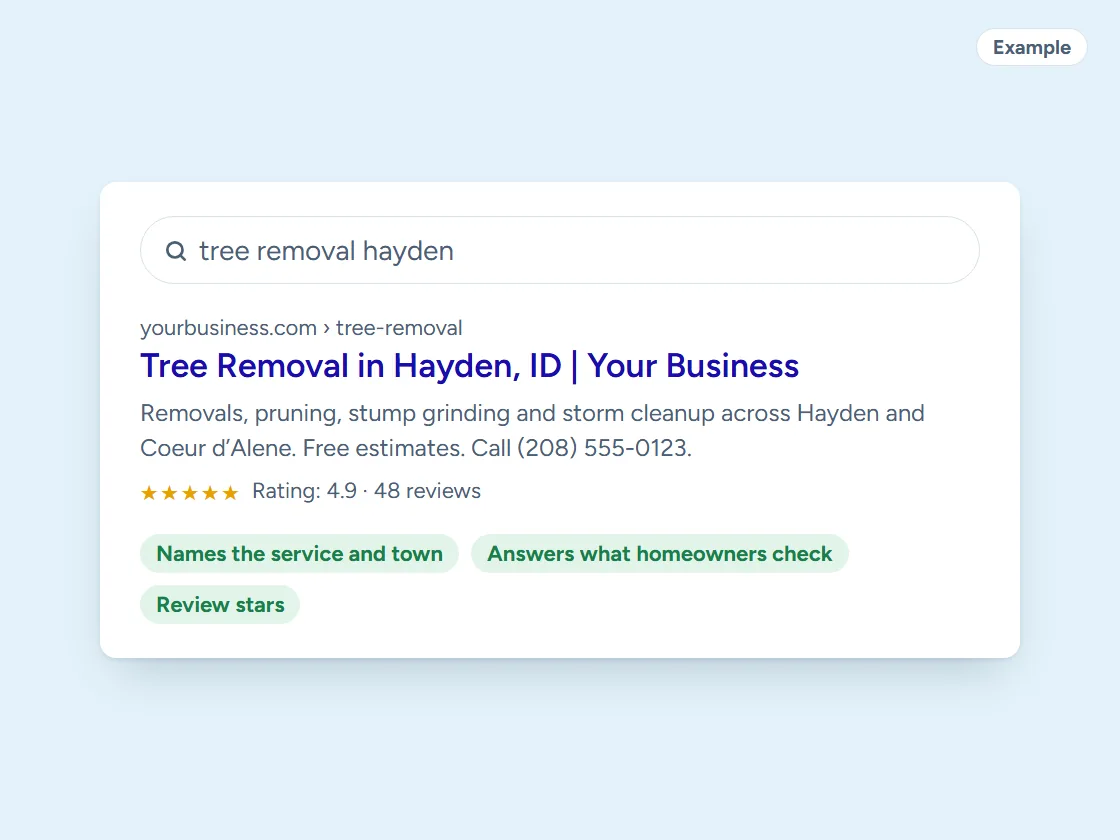
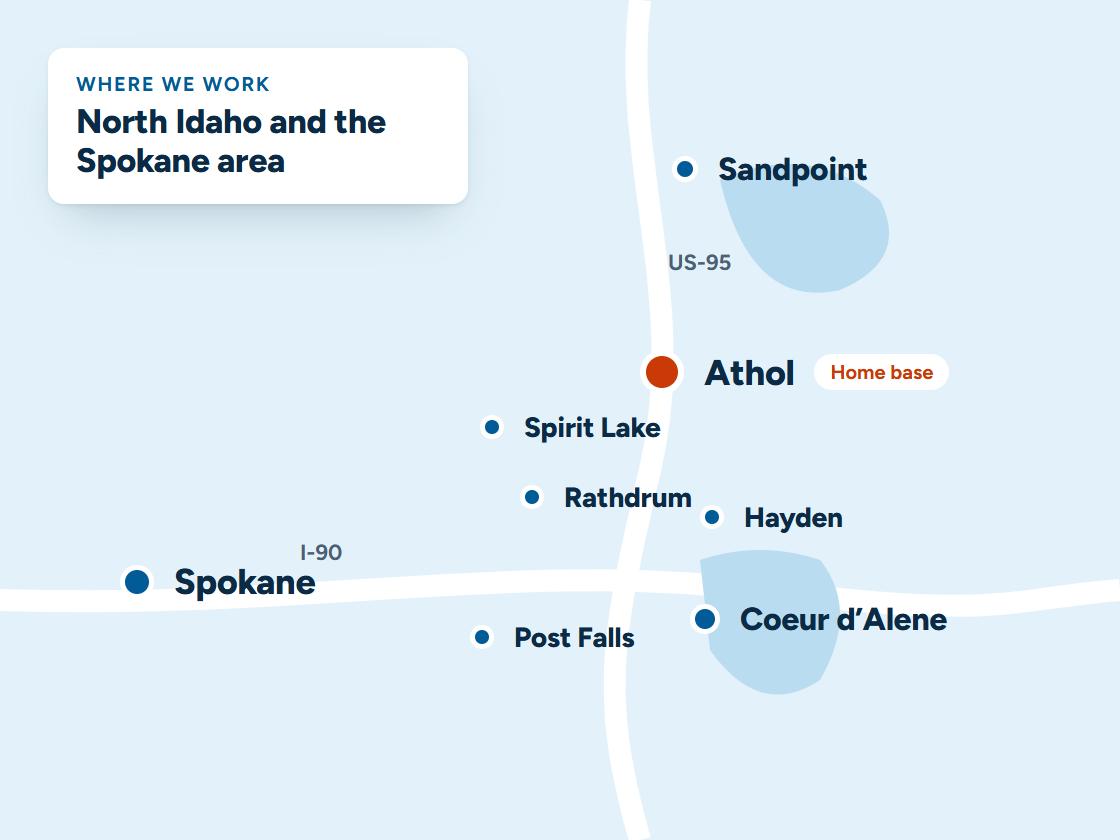
They search “tree service near me” and call someone on the map, so that’s where you need to be when a tree comes down. We keep your Google Business Profile complete, with photos of real removals, your insurance and the towns you cover. We build a page for each service you want more of: removal, pruning, stump grinding, storm cleanup and lot clearing. That gives you a real shot at the top of the map in Coeur d’Alene, Post Falls, Hayden, Rathdrum, Spirit Lake, Sandpoint and Spokane.
More on local SEO and Google Business Profile management.
Your website
What a website for tree services needs
- A storm and emergency page with a tap-to-call number at the top.
- Separate pages for removal, pruning, stump grinding, storm cleanup and lot clearing.
- An estimate request that lets people send a photo of the tree.
- The towns you cover, matching your Google Business Profile.
- Before-and-after photos that say what the job involved.
Through the year
When do North Idaho homeowners call a tree service?
After wind and snow storms, in spring, and ahead of fire season. The phone rings hardest after wind and snow storms, and in spring, when people walk the yard and see what winter did. Late summer and fall bring thinning and clearing around homes ahead of fire season.
A site that puts storm service first in storm weeks, and makes pruning easy to book in the quiet months, keeps crews busy all year.
Questions
Questions from tree services
Should I show my insurance and certifications on the site?
Yes, near the top and on every estimate. Homeowners comparing you with a cash bid want proof you’re insured. If you or your crew are ISA certified, say so: homeowners can check the credential on the ISA’s own directory.
Can it sort hazard calls from routine pruning?
Yes. The text back and the estimate form ask what’s going on. A tree on a house, a car or a power line is flagged to you right away, and pruning quotes are booked into your estimate days. For anything touching a power line, the reply tells the homeowner to stay clear and call the utility.
Should my tree service website show prices?
Usually free estimates rather than fixed prices, because every tree is different. What helps is saying what an estimate includes and how soon you can come out to look.
What photos work best on a tree service site?
Your own crews on real jobs: big removals, tight spots near houses, and the cleaned-up yard afterward. Stock photos of perfect trees don’t win calls.
How do I get more calls after a storm?
Be easy to find and easy to reach that day: a storm service page, a post on your Google Business Profile, and a text back to every missed call so nobody moves on to the next number.
What does it cost?
Plans start at $297 a month. The cards below show what each one includes, and every price is on our pricing page.

Pricing
Ready to get started?
Buy online in a few minutes with secure card checkout. Questions first? Call or text (208) 964-9963 or book a 15-minute call.
Starter website plan
$297/month + $697 one-time setup
Month to month. Cancel anytime.
- Up to 5 pages, built in about 2 weeks
- Hosting, security, updates and backups
- Google Business Profile set up and linked
- Speed work included
- Monthly report: visits, calls and leads
Most popular
Business website plan
$497/month + $997 one-time setup
Month to month. Cancel anytime.
- Everything in Starter
- Unlimited pages and content changes
- Missed calls get an instant text back
- Review requests after every job
- Calls, texts and forms in one inbox
Professional website plan
$997/month + $1,897 one-time setup
Month to month. Cancel anytime.
- Everything in Business
- Local SEO for each town you serve
- Weekly Google Business Profile posts
- Monthly ranking report
- Monthly strategy call
Keep exploring
Related
More trades
Want this running for your business?
Book a free 15-minute call. We’ll look at how calls and leads reach you today and show you what we’d set up.