
Where leads slip away
Where home builders lose customers
Inquiries that cool off
People planning a build talk to several builders. A slow first reply can lose a project worth a year of work.
Clients left wondering
Long builds raise questions. Regular updates with photos save phone calls and build trust.
Referrals left on the table
A happy move-in is the best time to ask for a review, and the one-year walkthrough is the best time to ask who else is building.
Before they call
What home buyers check before choosing you
Your website and Google profile should answer these before anyone has to call:
- Homes you’ve built, with plans and the towns they’re in.
- Your process and timeline, from lot to keys.
- What’s included and what’s an upgrade.
- How you’ll keep them informed during the build.
- Whether you help with land, financing or design.
How it works for home builders
One system, from the first search to the next visit
Follow one homebuyer through it. Each step below has a live example you can try; tap play on any of them.
Step 1 of 8 · Get found
Show up when people start planning a home
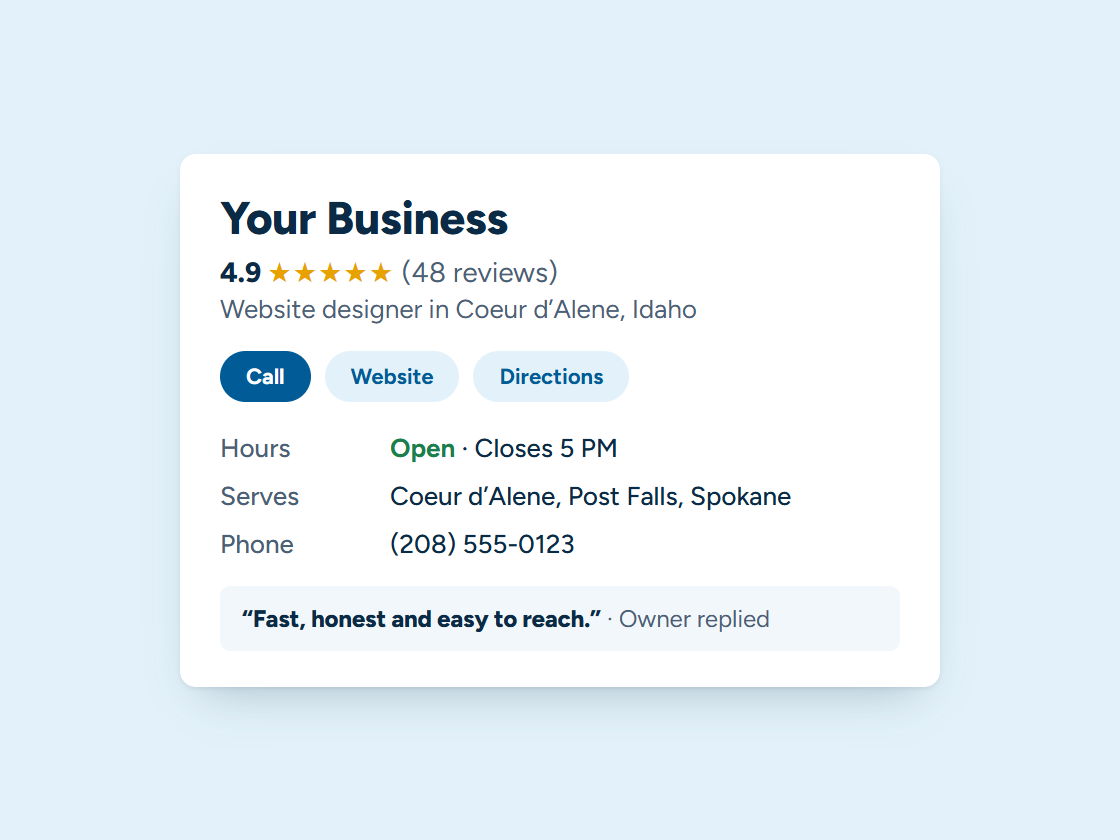
People search “custom home builder” plus the town months before they call. Finished homes and progress photos on your Google Business Profile help you earn a place on the map. Pick your town and watch the example climb.
Your Business: not in the top 3 (position 9)
- Right main category
- Services listed
- Matching name and phone
- Steady new reviews
- Fast, clear website
- A page for your town
Illustration only. Real rankings depend on distance, relevance and prominence, and no one can promise a position.
Step 2 of 8 · Qualify every lead
Know who’s ready to build
A few quick questions on your website sort people with land and financing from early dreamers, and send each one the right next step.
- Answers show up here as they come in.
Example quiz. We write your questions, decide where each answer goes, and connect it to your follow-up.
Step 3 of 8 · One inbox
Every buyer conversation in one place
Emails, texts and website messages about plans, lots and selections land in one inbox, so nothing gets lost across a year-long build.
Every channel, one inbox. Tap a conversation to answer it.
Example customers and messages. We connect your real channels and set up quick replies in your words.
Step 4 of 8 · Bid and sign
Bids they can approve from their phone
Send the bid by text. They review it, sign it and pay the deposit, and the project moves straight to scheduling.
- Estimate texted
- Customer opened it
- Signed
- Deposit paid
- Job added to your calendar
- Receipt and reminder sent
Example estimate. We set up your estimates, e-signatures and payments so customers can say yes from their phone.
Step 5 of 8 · Track every project
From first meeting to keys
Each buyer moves along a board from consultation to bid to contract to build, with the reminders and updates at each step sent for you.
Example jobs and amounts. Tap any card to move it along. We set up your stages and what happens at each one.
Step 6 of 8 · Reviews and referrals
Move-in day is the moment to ask
At handover, the new owners get a thank-you with a link to your Google review box and a simple way to send friends your way.
Example customers and reviews. We set up the request text, the timing and your review link; the reviews are your customers’ own.
- Link shared
- Friend booked
- Job done
- Rewards sent to both
11 jobs from referrals
Example customers. You choose the reward; links are tracked automatically and rewards go out when the friend’s job is done.
Step 7 of 8 · Stay in touch
Updates during the build, and after
Weekly progress updates, the move-in welcome, the one-year warranty walkthrough and a note when it’s time for that shop or deck.
1 of 6 sent automatically. You did the work; the system did the remembering.
Example messages and timing. We set yours up around how your business actually runs.
Step 8 of 8 · See what’s working
Know where your buyers come from
A plain report on the 1st: inquiries, consultations, signed projects and where each came from, whether the website, a sign on a lot or a referral.
Example calls. We set up a number for each ad, sign and listing, record where every call came from, and show it in your monthly report.
What we set up
Set up and run for you
- An instant reply to every inquiry, with a link to book a site visit
- Consultation reminders
- Scheduled build updates
- A review request at move-in
- Warranty walkthrough reminders
We write the messages with you, connect everything to your phone, calendar and website, and keep it running. You get the leads and a plain report every month. More about how it works.
Tap any piece to see what it does and how it connects. See all our services
An illustration with a made-up business. Real results depend on your market.
Your website
What a website for home builders needs
- A gallery of finished homes with plans, square footage and the town.
- Your build process, step by step.
- What’s standard and what’s an upgrade.
- How you communicate during the build.
- A consultation request that asks what you’d ask on the first call.
See managed websites for what the plans include.
Through the year
The building season in North Idaho
Building here runs from the spring thaw into the fall, and many buyers start planning over the winter.
That’s when consultations, design meetings and lot visits need to be easy to book, so the spring schedule is full before the ground thaws.
Questions
Questions from home builders
Can it handle long sales cycles?
Yes. Follow-up can run for months, spaced out and personal, until a client is ready or says no thanks.
Can we show our homes on the website?
Yes: galleries, floor plans and lot information, fast on a phone.
Who keeps it running?
We do. You get the leads and the updates; we handle the system.
Should a home builder show prices?
A starting price per square foot or per plan helps people decide whether to call, as long as you say what it includes.
What makes a builder’s website win the consultation?
Real homes you built, a clear process and proof you keep people informed. Buyers are making a big decision and want to know what the next year looks like.
Should I show homes in progress?
Yes. Progress photos on the site and posts on your Google Business Profile show you’re building, and they keep past and future clients interested.
Keep exploring
Related
Want this running for your business?
Book a free 15-minute call. We’ll look at how calls and leads reach you today and show you what we’d set up.