
Get Started Selling Online
Online selling has become an crucial part of modern business, and setting up a Shopify store is a fantastic way to enter the world of e-commerce. With its user-friendly interface and helpful tools, Shopify makes it easy for anyone to create their own online store and start selling their products to a global audience. In this comprehensive guide, we will take you through the step-by-step process of setting up your Shopify store, from creating an account to optimizing your store for success. Whether you're a first-time seller or looking to expand your business online, this guide will provide you with all the information you need to get your Shopify store up and running smoothly.
Step 1: Sign Up with Shopify

Navigating the Shopify Website
To begin creating your online store, navigate to the Shopify homepage and click on the "Get Started" button. This will prompt you to enter your email address, password, and store name. From here, you can explore the various pricing plans that Shopify offers to determine which best suits your needs. Once you've selected a plan and filled in your details, you'll have access to your Shopify dashboard where you can start customizing your store.
Creating Your Account
Creating your Shopify account is a straightforward process that involves providing basic information such as your email address and preferred password. This account will be your gateway to managing your store, tracking orders, and adding new products. It's important to choose a secure password to protect your account from unauthorized access.
Account creation is a crucial step in setting up your Shopify store, as it grants you access to a range of features and tools that will help you run a successful online business. Make sure to keep your login credentials secure and easily accessible for future reference.
Selecting and Securing a Unique Store Name (Keep it brand related for ease of remembering later)
Little thought should be given to selecting a unique store name that reflects your brand identity and resonates with your target audience. The name you choose will become an necessary part of your online presence and can impact your store's visibility in search engines. Once you've settled on a name, ensure its availability by checking the Shopify database and securing it for your store.
Securing a unique store name is a crucial step in building a recognizable brand that sets you apart from the competition. Take the time to brainstorm and research potential names that align with your vision and values as a business. This will not only help establish credibility but also attract customers who resonate with your brand identity.
Step 2: Set Up Your Store
Exploring the Shopify Dashboard
There's a lot to take in when you first log into your Shopify account and access your dashboard. You'll see various tabs and menus where you can customize your store, add products, manage orders, and more. It's important to familiarize yourself with the layout and navigation options to make the most of your store setup process. Take your time to explore each feature and function to ensure a smooth start to your online selling journey.
Initial Tips for Optimizing Store Setup
Clearly, one of the key aspects of setting up your Shopify store is optimizing its settings for maximum efficiency and effectiveness. Some initial tips include customizing your Shopify store theme to create a unique and visually appealing storefront, setting up payment gateways and shipping options to cater to your target audience's preferences, and configuring tax settings to comply with relevant regulations. Recognizing the importance of these setup steps will help you establish a strong foundation for your online store.
- Customize your store theme to reflect your brand identity
- Set up payment and shipping options to streamline the checkout process
Another crucial aspect of optimizing your store setup is adding high-quality product images and detailed descriptions. With online shopping relying heavily on visuals and product information, it's important to showcase your products in the best light possible. Providing clear and accurate descriptions will help customers make informed purchasing decisions. Recognizing the impact of compelling product presentation on sales can significantly enhance your store's performance and customer satisfaction levels.
Step 3: Configure Your Store Settings
Updating Store Details
Keep your Shopify store looking professional and welcoming by ensuring that all store details are up to date. This includes your store name, address, and contact information. For the best customer experience, make sure to provide accurate information to build trust with your audience.
Choosing the Right Currency and Payment Gateways
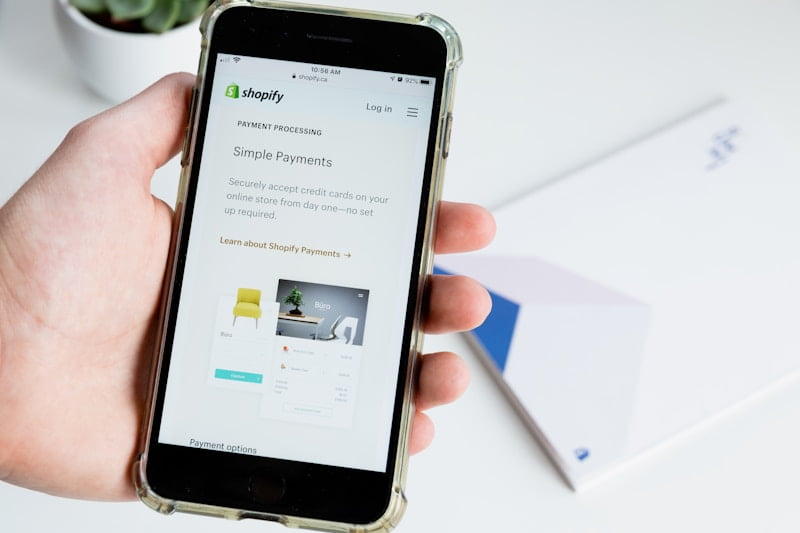
On Shopify, you have the flexibility to choose from different currencies to cater to your target market. Select the currency that aligns with your target audience to make the shopping experience seamless. Additionally, explore the various payment gateways that Shopify offers to find the best options for your store and customers.
Choosing the right currency and payment gateways is crucial for the success of your online store. Make sure to analyze transaction fees, processing times, and available payment methods to ensure a smooth checkout process for your customers. Research popular payment gateways in your region and select the ones that integrate seamlessly with your preferred currency.
Configuring Taxes and Legal Policies
Configuring taxes and legal policies is crucial for compliance and transparency in your online business. Ensure that you set up tax rates based on your location and the jurisdictions where you operate. It’s also crucial to define your refund and privacy policies to protect both your business and your customers.
The process of configuring taxes and legal policies may seem daunting, but Shopify provides tools and resources to simplify this task. Stay informed about tax regulations and guidelines to set up accurate tax rates. Clearly communicate your legal policies on your website to build trust and credibility with your customers.
Setting Up Shipping Rates and Zones
The currency in which you choose to display your prices can make a significant impact on your international customers. Make sure to select a currency that resonates with your target audience to enhance the shopping experience. Customers are more likely to complete their purchase if they see prices in their preferred currency.
Zones in Shopify allow you to customize shipping rates based on different regions. Consider factors like shipping costs, delivery speeds, and preferred carriers when setting up your shipping rates. Providing transparent shipping information will help build trust with your customers and reduce cart abandonment rates.
Customizing Notifications and Store Language
Payment settings and notifications play a crucial role in creating a user-friendly shopping experience. Customize your payment settings to offer multiple payment options that cater to your customers’ preferences. Additionally, customize order notifications and store language to create a cohesive brand experience for your customers.
By personalizing notifications and store language, you can enhance customer satisfaction and brand loyalty. Ensure that your store’s language is consistent with your branding and messaging to build a strong connection with your audience. Regularly review and update your settings to stay aligned with your business goals and customer expectations.
Step 4: Choose a Theme

Finding the Perfect Theme in the Shopify Theme Store
All great Shopify stores start with a theme that reflects their brand's aesthetic and functionality needs. Luckily, the Shopify Theme Store offers a wide variety of themes to choose from, ranging from free options to premium paid themes. Take some time to browse through the available themes and consider factors such as design style, features, and mobile responsiveness to find the perfect fit for your store.
Customization Tips for Brand Consistency
Little details like colors, fonts, and image styling can go a long way in creating a cohesive and memorable brand image. When customizing your theme, keep your brand identity in mind to ensure consistency across all elements of your store. You can upload your logo, choose brand-specific colors, and select fonts that align with your brand voice to create a professional and visually appealing online store.
- Use brand colors consistently throughout your store to create a strong visual identity.
- Opt for high-quality images that reflect your brand's style and products.
Making the Most of Theme Settings and Features
With the right theme settings and features, you can enhance your store's functionality and user experience. Dive into the theme customization options to explore features like product sliders, customer reviews, and social media integration. Brand your store by customizing elements such as the header, footer, and product pages to create a seamless and engaging shopping experience for your customers.
Finding a theme that complements your brand identity and meets your store's functionality requirements is imperative for creating a successful online store. Take advantage of the customization options available within your chosen theme to tailor the design and features to suit your brand's unique style and offerings.
Step 5: Add Products
Effective Product Listing Strategies
Many successful Shopify store owners understand the importance of effective product listing strategies. You need to make sure your products stand out in a crowded online marketplace. This can be achieved through catchy product titles, detailed descriptions, high-quality images, and competitive pricing.
Crafting Descriptions that Sell
You have to pay close attention to crafting descriptions that sell. Product descriptions should be informative yet compelling, highlighting the key features and benefits of your products. It's imperative to use persuasive language that entices customers to make a purchase. Product descriptions should also include relevant keywords to improve search engine optimization and attract more organic traffic to your store. Product descriptions play a crucial role in converting visitors into customers. By providing detailed and accurate information, you can build trust with your audience and increase sales. Effective product descriptions can also help reduce returns and enhance the overall shopping experience for your customers.
Product Photography Tips
Strategies for product photography are imperative for creating a visually appealing online store. Invest in good lighting and high-quality photography equipment to showcase your products in the best possible way. High-resolution images with multiple angles and close-ups can give customers a clear view of what they are purchasing.
- Use a clean, uncluttered background to make your product stand out.
- Experiment with different angles and perspectives to capture the product's features effectively.
Any successful e-commerce business knows the importance of high-quality product photography. Your images are the first thing customers see when browsing your store, and they can influence purchasing decisions significantly. Perceiving your products visually appealing can lead to higher conversion rates and repeat purchases.
Inventory Management and Product Variants
Crafting an efficient inventory management system and setting up product variants is crucial for a successful Shopify store. On Shopify, you can easily manage your inventory levels, track product availability, and create different variants for products like size, color, or style. On your Shopify dashboard, you can set up alerts for low stock levels, track inventory changes, and automate reordering processes. This ensures you never run out of stock and can fulfill orders promptly, enhancing the customer experience and preventing lost sales.
Setting up Pricing and Tax Details
Sell your products effectively by setting up pricing and tax details accurately on your Shopify store. Ensure that your pricing strategy is competitive yet profitable, taking into account factors such as production costs, competitor pricing, and market demand. You also need to configure tax settings based on your location and the countries you will be selling to. Product pricing should be transparent and competitive to attract customers and encourage repeat business. By setting up tax details correctly, you can avoid legal issues and ensure compliance with regulations. Tips from industry experts can help you navigate complex pricing and tax considerations, setting you up for success in the e-commerce landscape.
Step 6: Organize Your Products
Why Product Organization Matters
The organization of your products on your Shopify store can significantly impact the user experience and ultimately affect your sales. Despite having great products, if they are not properly organized, potential customers may struggle to find what they are looking for, leading to frustration and potential loss of sales. The way you organize your products can also have a direct impact on your search engine optimization (SEO) efforts, affecting your visibility in search engine results.
Creating Collections for Easy Navigation
Creating collections is an imperative step in organizing your products effectively. Collections allow you to group similar products together, making it easier for customers to navigate your store and find what they are looking for. When creating collections, think about how your customers would naturally browse through your products and group them accordingly. For example, if you sell clothing, you could create collections based on different categories like 'men's shirts' or 'women's dresses'.
Creating collections not only enhances the user experience but also helps with SEO by creating distinct pages that search engines can index, improving your store's visibility online. Make sure to use descriptive and keyword-rich titles for your collections to further enhance their SEO value.
Using Tags and Filters for Enhanced Searchability
Tags and filters are powerful tools that can enhance the searchability of your products on your Shopify store. By adding relevant tags to your products, you can make it easier for customers to find specific items through search filters. Tags can include product attributes like color, size, material, or any other relevant information that can help customers narrow down their search results.
It's imperative to regularly review and update your tags to ensure they accurately reflect your products and match the keywords that customers are likely to use when searching for them. By utilizing tags and filters effectively, you can improve the overall shopping experience for your customers and increase the chances of them finding and purchasing the products they are looking for.
Step 7: Set Up Your Domain
Buying a Domain through Shopify
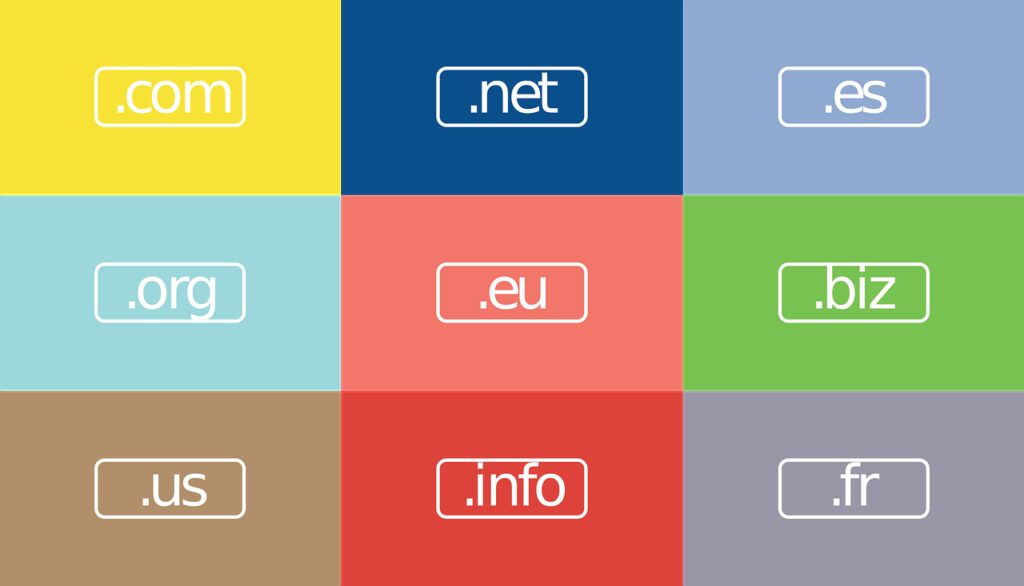
Once again, one of the crucial steps in setting up your Shopify store is securing a domain name that reflects your brand identity and is easy for customers to remember. Some users opt to purchase a domain directly through Shopify for ease and convenience. Shopify offers a seamless process for selecting and purchasing a domain, taking the hassle out of dealing with third-party registrars.
Connecting an Existing Domain
Some users may already have a domain registered through another provider. In this case, connecting your existing domain to your Shopify store is a straightforward process. Simply navigate to the 'Domains' section in your Shopify dashboard and follow the step-by-step instructions to connect your domain. Step by step, you can seamlessly integrate your existing domain with your Shopify store, ensuring a smooth transition for your customers.
To further enhance your online presence, it is recommended to set up your domain settings and follow best practices. Now through the 'Domains' section on Shopify, you can configure DNS settings, establish a custom email address, and enable SSL encryption to provide a secure shopping experience for your customers. By taking these extra steps, you can ensure your online store is not only visually appealing but also trustworthy and reliable.
Step 8: Customize Your Checkout Process
Understanding Checkout Customization Options
There's no one-size-fits-all approach when it comes to customizing the checkout process on your Shopify store. Depending on your target audience and the products you offer, it's imperative to tailor the checkout experience to meet the needs and preferences of your customers. Shopify provides various customization options such as adding custom fields, adjusting shipping rates, and enabling payment gateways to streamline the purchasing process.
Creating a Smooth Checkout Experience for Customers
With a user-friendly and intuitive checkout process, you can significantly reduce cart abandonment rates and increase conversions. Ensure that your checkout page is optimized for quick and secure transactions, with clear calls-to-action and easy navigation. By offering multiple payment options and integrating trusted payment gateways, you can build trust with your customers and provide a seamless purchase journey.
Process
By analyzing customer data and feedback, you can continuously refine and optimize the checkout process to enhance the overall shopping experience. Monitor the performance of your checkout page, A/B test different layout options, and gather insights on customer behavior to make informed decisions and improve conversion rates.
Optimizing for Mobile Checkout Efficiency
Optimizing your checkout process for mobile devices is crucial, as the number of mobile shoppers continues to rise. Ensure that your Shopify store is responsive and mobile-friendly, with a simplified and intuitive checkout flow that minimizes friction. Implement features like one-click payments, autofill options, and guest checkout to streamline the mobile shopping experience and cater to on-the-go customers.
Step 9: Test Your Store
How to Place a Test Order
For a successful launch of your Shopify store, testing the ordering process is crucial. With Shopify's robust testing features, you can simulate a customer's journey from browsing products to completing the purchase. Place a test order using a variety of payment methods to ensure everything is functioning smoothly. This will help you identify any potential issues and make necessary adjustments before going live.
Verifying the Checkout and Payment Flow
For a seamless shopping experience, it is vital to verify the checkout and payment flow on your Shopify store. Ensure that customers can easily add items to their cart, proceed to checkout, and complete the payment process without any hiccups. Test different scenarios, such as applying discounts or using promo codes, to make sure all features are working as intended.
The checkout and payment flow is a critical aspect of your online store, as any friction in this process can lead to abandoned carts and lost sales. By meticulously testing and verifying this aspect, you can provide a smooth and hassle-free shopping experience to your customers, increasing the likelihood of conversion.
Pre-Launch Checklist for a Flawless Operation
An vital part of launching your Shopify store is ensuring everything is in place for a flawless operation. Conduct a thorough pre-launch checklist that includes checking product descriptions, images, pricing, shipping options, and tax settings. Test all website links, forms, and buttons to make sure they are working correctly. Additionally, perform a final review of your store's design and layout to guarantee a polished look.
By diligently following the pre-launch checklist, you can address any potential issues or oversights before going live, minimizing the chances of encountering problems once your store is open to customers. This proactive approach will help you present a professional and well-functioning online store right from the start.
Step 10: Launch Your Store
Going Live with Your Shopify Store
Unlike other steps in setting up your Shopify store, launching it requires careful planning and execution. On the day of the launch, ensure that all product listings, shipping details, and payment gateways are fully functional and error-free. Make sure to also test the checkout process thoroughly to prevent any hiccups for customers once the store goes live.
Marketing Tips Before and After Launch
Before and after the launch of your Shopify store, it's necessary to implement marketing strategies to attract customers. Any online store can benefit from a strong social media presence and targeted advertising campaigns. Utilize email marketing and content creation to engage with your audience and drive traffic to your store.
- Any adjustments needed can be made based on customer feedback and analytics.
With the abundant resources available for marketing your e-commerce business, it's crucial to make use of them effectively. Implementing SEO tactics, creating compelling product descriptions, and engaging with potential customers through social media can significantly impact your store's visibility and sales. After your store is live, continue to monitor your marketing efforts and make necessary adjustments to optimize performance.
Monitoring the Launch and Addressing Issues
One of the critical aspects of launching your Shopify store is monitoring its performance and addressing any issues promptly. After the store is live, keep a close eye on website traffic, conversion rates, and customer feedback. By tracking these metrics, you can identify any potential issues and address them before they impact sales or customer satisfaction.
After the initial launch period, analyze the data collected to make informed decisions on enhancements or adjustments to your store. Address any technical issues, ensure a seamless shopping experience for customers, and continuously work on improving your store's performance to drive success in the competitive online marketplace.
Step 11: Market Your Store
Importance of SEO in E-commerce
After setting up your Shopify store, one of the crucial steps in driving traffic and increasing visibility is optimizing your website for search engines. Ecommerce statistics show that 39% of global e-commerce traffic comes from search engines, emphasizing the importance of SEO in boosting online sales. By incorporating relevant keywords, optimizing product descriptions, and improving site speed, you can enhance your store's search engine ranking and attract potential customers.
Social Media Strategies for Store Promotion
Some social media platforms play a pivotal role in promoting your Shopify store. Utilize platforms like Facebook, Instagram, and Twitter to engage with your target audience, showcase products, and drive traffic to your online store. With over 3.6 billion social media users worldwide, leveraging these platforms can significantly increase brand visibility and customer engagement.
When crafting your social media strategy, focus on creating visually appealing content, running targeted ads, and engaging with followers to build a loyal customer base. Utilize social media analytics to track performance metrics, understand customer behavior, and tailor your marketing efforts for optimal results.
Email Marketing Campaigns that Drive Sales
You can leverage email marketing to drive sales and nurture customer relationships. With an average ROI of $42 for every $1 spent, email marketing remains a cost-effective way to promote your Shopify store and engage with customers. You can create personalized email campaigns, offer exclusive discounts, and send targeted product recommendations to boost sales and customer loyalty.
To maximize the effectiveness of your email marketing campaigns, segment your audience based on their preferences and purchase history. Utilize compelling subject lines, visually appealing designs, and clear call-to-actions to encourage recipients to take action and make a purchase.
Pay-Per-Click Advertising and Retargeting
Store owners can drive targeted traffic to their Shopify store through pay-per-click (PPC) advertising and retargeting strategies. By running PPC campaigns on platforms like Google Ads and social media platforms, you can reach potential customers actively searching for products similar to yours. Retargeting allows you to re-engage with visitors who have previously visited your store but did not make a purchase, increasing the chances of conversion.
To drive conversions through PPC advertising and retargeting, create compelling ad copy, use eye-catching visuals, and target specific audience segments based on demographics, interests, and behavior. Continuously monitor and optimize your campaigns to ensure maximum ROI and drive sales for your online store.
Utilizing Content Marketing and Blogging
To establish your brand as an authority in your niche and attract organic traffic to your Shopify store, consider utilizing content marketing and blogging. By creating high-quality, informative content that addresses your target audience's pain points and interests, you can drive organic traffic, engage with potential customers, and increase brand awareness.
Advertising statistics show that content marketing generates 3 times more leads than traditional marketing strategies, highlighting its effectiveness in driving conversions and building customer trust. Plus, by incorporating relevant keywords, optimizing meta descriptions, and promoting your blog posts through social media channels, you can enhance your store's online visibility and attract a steady stream of organic traffic.
Step 12: Analyze and Improve
Leveraging Shopify Analytics for Data-Driven Decisions
All successful online businesses rely on data to make informed decisions and drive growth. Assuming you have set up your Shopify store and started selling online, it's crucial to leverage the analytics tools provided by Shopify to gain insights into your customers' behaviors and preferences. By analyzing metrics such as traffic sources, conversion rates, and popular products, you can make data-driven decisions to optimize your store and increase sales.
Understanding Customer Feedback
With customer feedback being a valuable source of information, it's necessary to gather and analyze customer reviews, ratings, and comments to understand their needs and preferences. The feedback provided by customers can help you identify areas for improvement and tailor your products or services to better suit their expectations. By actively listening to your customers, you can build long-lasting relationships and improve the overall shopping experience.
The key to effectively understanding customer feedback lies in actively seeking it out, whether through surveys, social media engagement, or direct communication with customers. By listening to what your customers have to say, you can gain valuable insights that will guide your decision-making process and help you tailor your offerings to meet their needs.
Strategies for Ongoing Store Optimization
The optimization of your Shopify store is an ongoing process that requires constant monitoring and adjustment. The key to success lies in implementing strategies that focus on improving user experience, increasing conversions, and driving more traffic to your store. By testing different marketing tactics, updating your product offerings, and optimizing your website for search engines, you can continually improve your store's performance and grow your online business.
Ongoing store optimization is a continuous effort that requires dedication and a willingness to adapt to changing market trends and customer preferences. By staying informed and actively seeking feedback from your customers, you can ensure that your Shopify store remains competitive and continues to evolve with the ever-changing online landscape.
Conclusion
From above, setting up a Shopify store and starting to sell online may seem daunting at first, but with the right guidance and step-by-step instructions, it can be a manageable and rewarding process. By following the detailed steps outlined in this guide, you can create a professional and user-friendly online store that attracts customers and drives sales.
Remember to continuously optimize your store, experiment with different marketing strategies, and provide excellent customer service to ensure the success of your Shopify store. With dedication, perseverance, and a willingness to learn, you can take your online business to new heights and achieve your entrepreneurial goals.