
Where leads slip away
Where remodeling projects slip away
Work out what missed calls cost you, with your own numbers.
A sales cycle measured in months
Someone asks about a kitchen in January and is ready to sign in the fall. Most remodelers follow up once or twice and move on, and the client signs with whoever kept in touch.
Dreamers mixed in with ready-to-build
Some inquiries have a budget, a timeline and a house they plan to stay in. Others are collecting ideas. Without a few questions up front, your evenings go to the wrong ones.
The design fee conversation
Homeowners balk at paying for design before they know you. If your site doesn’t explain what they get for it, they go with the contractor who gave a free number on the spot, and the change orders come later.
Bids stuck waiting on permits
Plans review, permits and inspections hold up the start. Clients who hear nothing while they wait get nervous, and some start calling around.
Change orders and budget creep
Rot behind the tile, wiring that isn’t to code, a client who wants the bigger island. Without each change written down and approved, the final invoice turns into an argument.
Messy months, nervous clients
A family living without a kitchen wants to know what’s happening this week. “Nobody tells us anything” is the complaint that sours a good job and costs you the referral.
Subs and the schedule
The plumber, the electrician, the countertop template and the tile setter all have to land in order. One slip pushes everything, and the client asks why nobody is at the house today.
Older homes and lead paint
Under the EPA’s lead-safe rule, anyone paid to disturb paint in a home built before 1978 has to be certified in lead-safe work practices. Owners of older homes who know that look for it, and a site that says so plainly gets the call.
Your best work, hidden
The before-and-after photos that sell a remodel sit in your phone. Without them on your website and Google profile, you look like every other contractor, and referrals are all you have.
Before they call
What homeowners check before choosing you
- Before-and-after photos of real kitchens, baths and basements.
- That you’re a registered contractor in Idaho or Washington, insured, and who does the work: your crew or subs.
- How you price: the design phase, allowances and change orders.
- How long it will take, and how you’ll keep them updated.
- If the home was built before 1978, that you’re certified for lead-safe work.

How it works for remodeling contractors
One system, from the first search to the next visit
Follow one client through it, step by step. The Growth System page explains each step in full.
Step 1 of 8 · Get found
Show up while they plan
People planning a remodel look at photos and reviews for months before they call. A complete Google Business Profile and a page for each kind of project help you earn a place on the map. Pick your town and watch the example climb.
Your Business: not in the top 3 (position 9)
- Right main category
- Services listed
- Matching name and phone
- Steady new reviews
- Fast, clear website
- A page for your town
Illustration only. Real rankings depend on distance, relevance and prominence, and no one can promise a position.
Step 2 of 8 · Never miss a lead
Answer every question while you’re on a job site
An assistant answers questions about your process right away, asks about the room, the budget range and the timeline, and books the first meeting. Calls you miss get a text back in seconds.
Example answers. Yours is set up with your real services, hours and prices, and hands the conversation to you whenever it should.
Step 3 of 8 · One inbox
Inspiration photos and every message in one place
Clients text photos of the room, ideas they saved and the old floor plan. Everything lands in one inbox, so you walk into the first meeting prepared.
Every channel, one inbox. Tap a conversation to answer it.
Example customers and messages. We connect your real channels and set up quick replies in your words.
Step 4 of 8 · Bid and sign
Bids they can approve from their phone
Send the bid or the design agreement by text. They review it, sign it and pay the deposit, and the project moves to scheduling.
- Estimate texted
- Customer opened it
- Signed
- Deposit paid
- Job added to your calendar
- Receipt and reminder sent
Example estimate. We set up your estimates, e-signatures and payments so customers can say yes from their phone.
Step 5 of 8 · Track every project
Every lead and project on one board
From first call to design to permit to build to walk-through, each project moves along a board. Follow-ups, change orders and weekly updates go out for you.
Example jobs and amounts. Tap any card to move it along. We set up your stages and what happens at each one.
Step 6 of 8 · Reviews and referrals
Ask at the final walk-through
When the punch list is done and the client is happy, they get a text with a link straight to your Google review box, and a referral link for friends and family.
Example customers and reviews. We set up the request text, the timing and your review link; the reviews are your customers’ own.
- Link shared
- Friend booked
- Job done
- Rewards sent to both
11 jobs from referrals
Example customers. You choose the reward; links are tracked automatically and rewards go out when the friend’s job is done.
Step 7 of 8 · Stay in touch
The first-year check-in, and the next room
A check-in after the first year, a note when there’s a gap in the schedule, and an offer for the next room when the time is right.
1 of 6 sent automatically. You did the work; the system did the remembering.
Example messages and timing. We set yours up around how your business actually runs.
- Press Join to see what happens next.
Example plans and prices. We set up your plan, billing and member perks; nothing is charged here.
Step 8 of 8 · See what’s working
Know which leads turn into projects
A plain report on the 1st: calls, meetings, bids, signed projects, reviews and where each came from.
Example calls. We set up a number for each ad, sign and listing, record where every call came from, and show it in your monthly report.
What we set up
Set up and run for you
- A text back to every missed call, sent within seconds
- A project request form that asks about the room, the budget range and the timeline
- Follow-up by text and email for months, until they’re ready to build
- Weekly project updates and change order approvals by text
- A review and referral ask at the final walk-through, and a check-in after the first year
Tap any piece to see what it does and how it connects. See all our services
An illustration with a made-up business. Real results depend on your market.

Keep customers coming back
How do remodelers get the next project from past clients?
Check in after the first year, offer the next room when the time is right, and fill schedule gaps with small jobs. We set up the follow-up that brings them back:
- The first-year check-in. A note after the first year asking how everything is holding up. A sticking drawer becomes a scheduled visit instead of an angry call, and the client remembers you took care of it.
- The next room. The client who loved the kitchen still has the bathrooms, the basement and the deck. Each one gets offered when the time is right.
- Small jobs between big ones. Past clients hear from you when there’s a gap in the schedule, so trim, doors and small fixes keep the crew busy between projects.
- Referral asks at the right moment. Friends and family see the new kitchen at the first dinner party. A simple referral link after the walk-through turns that into the next meeting.
Local search
When do homeowners start looking for a remodeler?
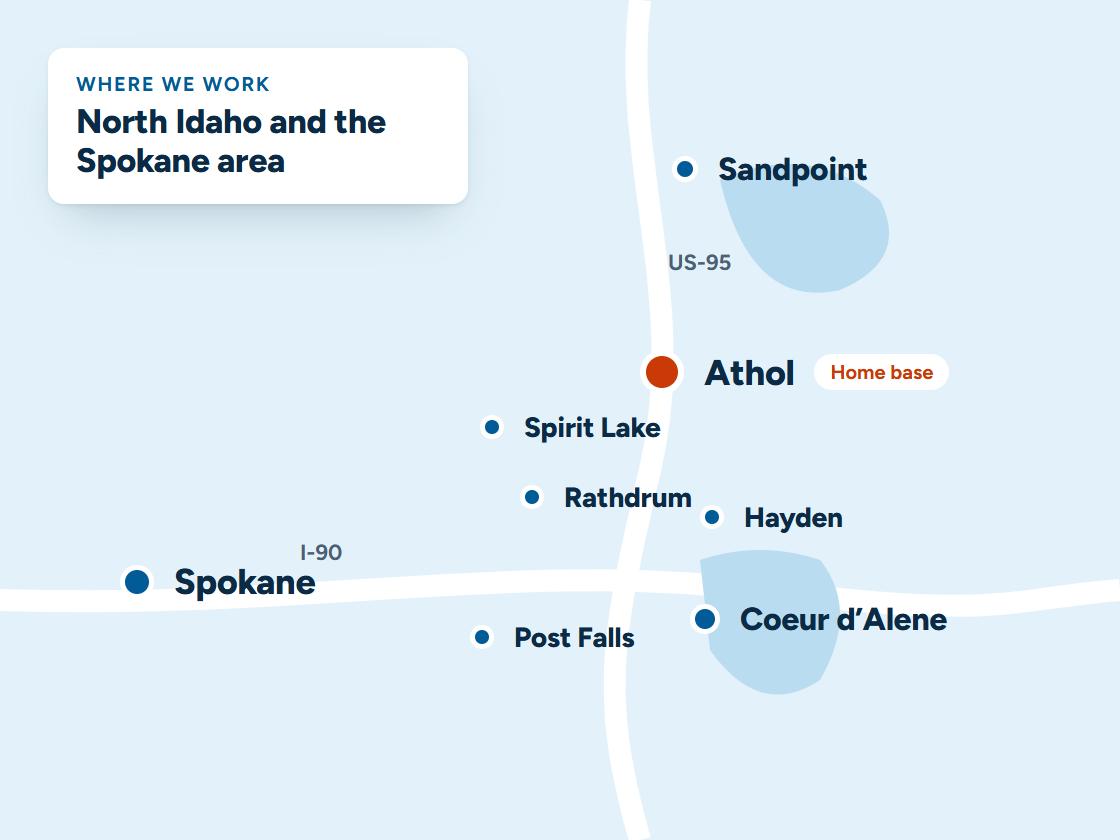
Months before they call: people planning a remodel search for a remodeler early, and they look at photos and reviews first. We keep your Google Business Profile complete, with before-and-after photos of real kitchens, baths and basements. We build a page for each kind of project you want more of, so you have a real shot at the top of the map in Coeur d’Alene, Post Falls, Hayden, Sandpoint and Spokane.
More on local SEO and Google Business Profile management.

Your website
What a website for remodeling contractors needs
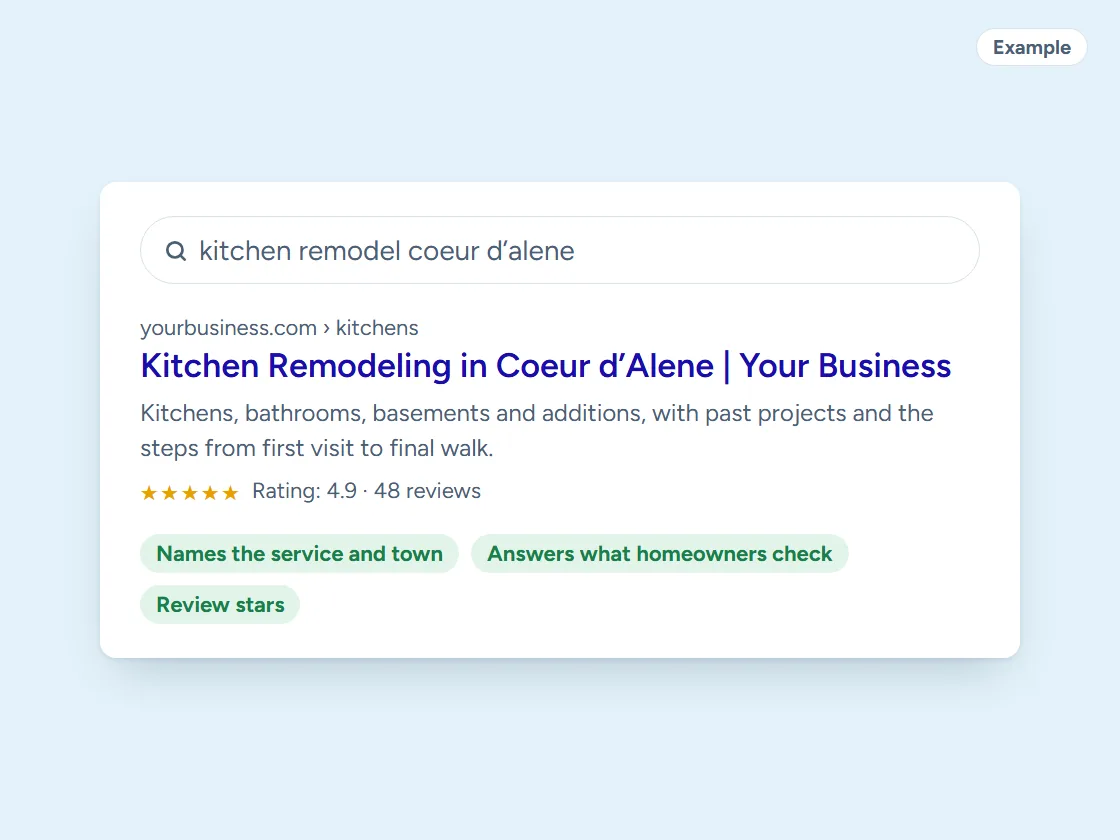
- Pages for kitchens, bathrooms, basements and additions.
- Your process, step by step: design, pricing, permits, the build and the walk-through.
- A gallery of before-and-after work, by type of project.
- A project request form that asks about budget range, timeline and photos.
- Your service area, matching your Google Business Profile.
Through the year
When do homeowners plan remodels in North Idaho?
Plenty start over the winter, then want the work done before the next holidays come around. Interior remodels run all year, but the planning has its own rhythm. Additions and anything that opens up the outside of the house are easier to schedule in the dry months.
A site that captures winter and spring inquiries, follows up until the design is signed, and books the build into open months keeps the crew steady instead of feast or famine.
Questions
Questions from remodeling contractors
Can it sort ready-to-build clients from early dreamers?
Yes. A few questions on the request form ask about the budget range, the timeline and whether they own the home. Ready clients get a fast call to book the meeting, and early ones get helpful follow-up until they’re ready.
Can clients approve change orders from their phone?
Yes. Send the change by text with the reason and the price. They approve it with a tap, and it’s on record with the project, so there are no surprises on the final invoice.
Can it keep clients updated without me writing every message?
Yes. Updates go out when a project moves to the next stage, like demo, rough-in, inspection or countertops, and you can add a photo from the job site in a few seconds.
Should a remodeling website list prices?
A range for common projects can help people decide to call, as long as you say what moves it: size, finishes, layout changes and what’s behind the walls. It filters out the people who aren’t ready for a real remodel.
How do I explain a design fee on my website?
Say what the client gets for it, like drawings, selections and a firm price to build, and whether it’s credited to the project if that’s how you work. People pay for design when they can see what it buys.
What does it cost?
Plans start at $297 a month. The cards below show what each one includes, and every price is on our pricing page.

Pricing
Ready to get started?
Buy online in a few minutes with secure card checkout. Questions first? Call or text (208) 210-GROW or book a 15-minute call.
Starter website plan
$297/month + $697 one-time setup
Month to month. Cancel anytime.
- Up to 5 pages, built in about 2 weeks
- Hosting, security, updates and backups
- Google Business Profile set up and linked
- Speed work included
- Monthly report: visits, calls and leads
Most popular
Business website plan
$497/month + $997 one-time setup
Month to month. Cancel anytime.
- Everything in Starter
- Unlimited pages and content changes
- Missed calls get an instant text back
- Review requests after every job
- Calls, texts and forms in one inbox
Professional website plan
$997/month + $1,897 one-time setup
Month to month. Cancel anytime.
- Everything in Business
- Local SEO for each town you serve
- Weekly Google Business Profile posts
- Monthly ranking report
- Monthly strategy call
Keep exploring
Related
More trades
Want this running for your business?
Book a free 15-minute call. We’ll look at how calls and leads reach you today and show you what we’d set up.